About Smart View: Screen Mirroring
You want to experience a bigger screen with a TV without cables with the Screen Mirror Cast feature. Download the Screen Mirror cast app now to experience it. Miracast application supports playing images and videos from...
You want to experience a bigger screen with a TV without cables with the Screen Mirror Cast feature. Download the Screen Mirror cast app now to experience it. Miracast application supports playing images and videos from the phone to the TV. With simple operations in Chromecast, you can experience all the content of your phone on the big screen.
This is the best screen mirroring app - Smart View, which makes Chromecast screen mirroring for all tv.
With cast to tv app you can cast to tv and share screen with your family or friends in simple steps.
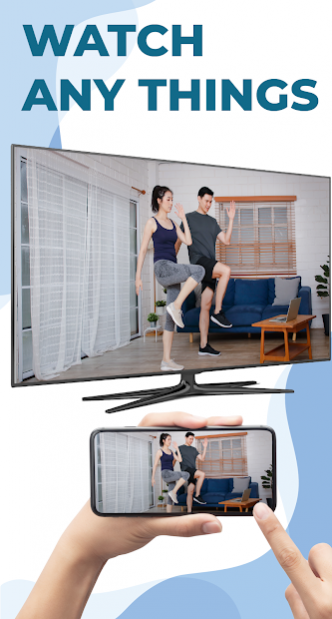
Save your eyes from the phone screen and enjoy the big screen TV series in your home area.
Supports multiple devices.
- Most smart TVs, LG, Samsung, Sony, TCL, Xiaomi, hisense, etc.
- Support many chromecast enabled devices like miracast, roku, dlna, fire tv, smart view, etc.
- Devices that support google chromecast.
- AnyCast
- And many other devices.
Screen Mirroring: Chromecast, cast to Tv features you should use:
✦ Quick and simple connection with just one click.
✦ Cast smartphone screen to large TV screen stably.
✦ Stream music online, Cast video to TV.
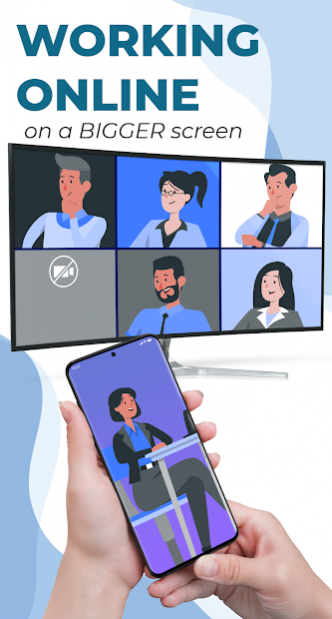
✦ Performing meetings, watching travel slideshows with relatives and family.
✦ All media files are supported including audio, video, photo, e-book, PDF, etc.
✦ Screen sharing with real-time speed.
🔍 The use of Screen Mirroring.
1. Make sure the TV and phone are connected to wifi and the same network. You should disable the VPN.
2. Turn on "Show "Miracast" or "ChromeCast" on the TV.
3. Enable "Wireless Display" on the phone.
4. Search and pair the device.
Watching movies, viewing photos or reading newspapers is always more comfortable and satisfying if experienced on a larger screen through screen mirroring. With the Miracast app, you can enjoy and use the conveniences of your phone and chromecast at the same time in seconds. You can also easily connect your smartphone to the TV wirelessly. You can search for your favorite movies and TV shows and easily stream them anytime on your TV screen.
Thank you for downloading Screen Mirroring - Cast Phone to TV. Hope you will have comfortable relaxing moments with the application.
If you have any questions, don't hesitate to contact mail for support: taptapstudioapp+help@gmail.com
Disclaimer: This Screen Mirroring App is not affiliated with any of the trademarks mentioned here.
Previous Versions
Here you can find the changelog of Smart View: Screen Mirroring since it was posted on our website on 2022-04-07 05:23:50.
The latest version is 1.0.5 and it was updated on 2026-10-10 07:28:02. See below the changes in each version.
Smart View: Screen Mirroring version 1.0.5
Updated At: 2022-04-18
Changes: Screen-mirroring helping you to share phone screen on TV easily
Easy connection
- Free Smart View interface is designed with eye-catching, easy to use
- Simple connection operation. Just make sure the two devices you use to share the same wifi connection
- Connect quickly with just one touch
- Detailed and easy to understand screen mirroring application instruction video
Disclaimer
Official Google Play Link
We do not host Smart View: Screen Mirroring on our servers. We did not scan it for viruses, adware, spyware or other type of malware. This app is hosted by Google and passed their terms and conditions to be listed there. We recommend caution when installing it.
The Google Play link for Smart View: Screen Mirroring is provided to you by apps112.com without any warranties, representations or guarantees of any kind, so access it at your own risk.
If you have questions regarding this particular app contact the publisher directly. For questions about the functionalities of apps112.com contact us.